Explore software driver topics in a simple way.
Browse beginner-friendly educational guides about graphics, audio, printer, network, USB, chipset, Bluetooth, BIOS, webcam, storage, and system driver concepts.
Structured Learning
Learn driver concepts topic by topic through clear educational explanations.
Understand how hardware and software work together.
Every category explains how drivers help devices communicate with the operating system, process information, and support hardware functions.
Beginner Friendly
Simple educational explanations without technical overload.
Organized Topics
Driver categories arranged in a clean structured format.
Learn before troubleshooting.
Understanding the purpose of drivers helps users better understand devices, system behavior, and hardware communication.
Comprehensive Guides for Every Component.
Dive deeper into specific hardware topics with our simplified educational resources.
Graphics Drivers
Learn how GPUs communicate with your OS to render visuals.
Read GuideAudio Drivers
Understanding the bridge between sound cards and your speakers.
Read GuidePrinter Drivers
How documents are translated into commands for your printer.
Read GuideNetwork Drivers
The software enabling your WiFi and Ethernet connections.
Read GuideBluetooth Drivers
Simplifying wireless communication for peripheral devices.
Read GuideChipset Drivers
The essential instructions for your motherboard components.
Read GuideUSB Drivers
How your system recognizes and talks to external USB devices.
Read GuideStorage Drivers
Understanding the flow of data to your HDD and SSD.
Read GuideWebcam Drivers
How video signals are captured and processed by your PC.
Read GuideTouchpad Drivers
Learning about gesture recognition and pointer accuracy.
Read GuideKeyboard Drivers
How keystrokes are registered and interpreted by software.
Read GuideBIOS/UEFI Drivers
The foundational firmware that boots your hardware.
Read GuideFollow a simple path to understand driver concepts.
Each guide is written to help users understand driver basics clearly and comfortably.
Choose a Topic
Start with a driver category such as graphics, audio, printer, network, chipset, USB, or Bluetooth.
Read the Basics
Learn what the driver does, where it is used, and how it supports the operating system.
Build Understanding
Understand the communication flow between devices, drivers, and connected hardware components.
Driver learning topics for everyday users.
Explore how devices connect, respond, process information, and interact with the operating system through drivers.
Graphics & Display
Learn about visuals, screen rendering, and display communication basics.
Audio & Sound
Understand speaker output, microphone input, and audio signal handling.
Network & Connectivity
Explore WiFi, Ethernet, Bluetooth, and wireless communication basics.
System Components
Learn about chipset, BIOS, storage, USB, and motherboard communication.
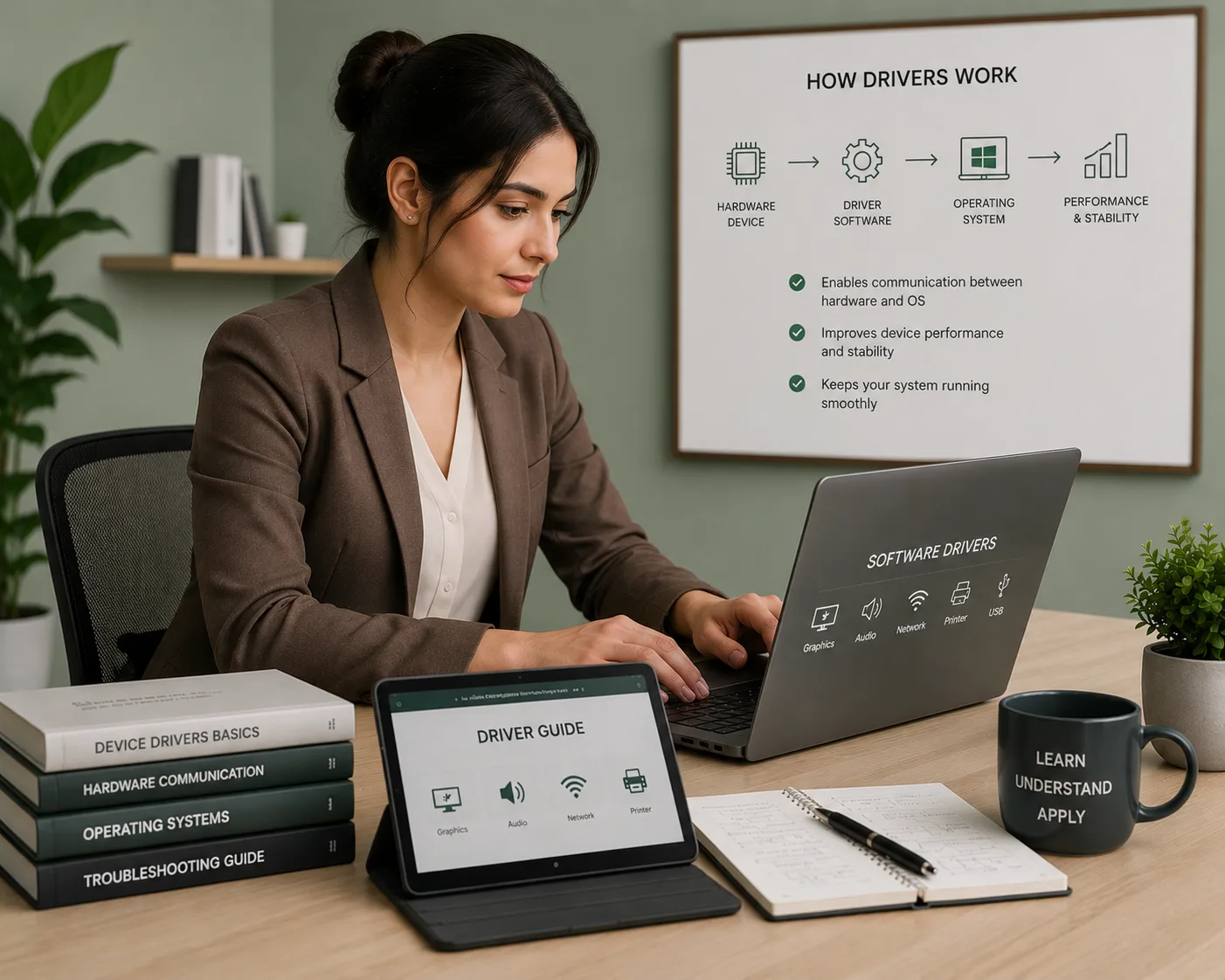
Driver topics explained with clarity, structure, and simple language.
Into the Drivers is designed for users who want to understand software drivers without confusing technical terms. Our guides focus on display, audio, printer, network, USB, chipset, scanner, webcam, and system driver basics in a clean educational format.
Step-by-Step
Easy topic flow that helps users learn driver basics one concept at a time.
Plain English
No heavy jargon. Every explanation is written for everyday learners.
Topic Coverage
Learn about printer, audio, graphics, network, USB, storage, and BIOS topics.
Clean Guidance
Content is focused on learning only, with a simple and safe educational tone.
Learn driver concepts in a clean and organized way.
Each guide is created to help users understand what a driver does, why it matters, and how it connects hardware with the operating system.
Choose a Topic
Start with a driver category such as graphics, audio, printer, network, USB, chipset, scanner, or webcam.
Read Simple Guides
Understand the purpose of each driver through beginner-friendly explanations and clear learning points.
Build Understanding
Learn how drivers support communication between devices, operating systems, and connected hardware.
Explore more educational software driver guides.
Browse additional learning topics and build a better understanding of hardware communication.